
✖
FIRST Robotics Competition
KitBot
The FIRST Robotics Competition KitBot is a versatile, beginner-friendly robot kit included in the FIRST Robotics Competition Kickoff Kit. Access build instructions, CAD files, programming guides, and enhancement tips to help your team get competition-ready.
Past seasons' KitBot resources can be found on the Archived Game Documentation webpage.
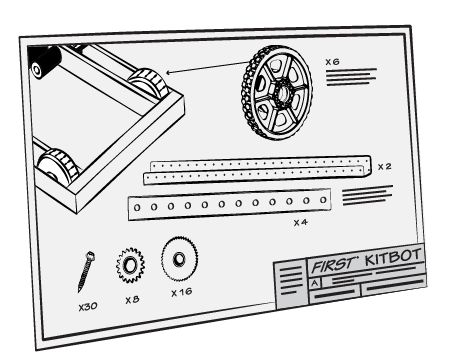
KitBot Resources
Click each section below to explore additional details about the resources provided.
Need help? Post your questions in the FIRST Forums. Staff will be monitoring this forum throughout the build and competition season and will attempt to provide timely answers to all questions.
KitBot Resources
Click each section below to explore additional details about the resources provided.
Need help? Post your questions in the FIRST Forums. Staff will be monitoring this forum throughout the build and competition season and will attempt to provide timely answers to all questions.
-
Build Instructions & Videos
- KitBot Build Instructions (updated Jan 12) - Instructions for how to build the 2026 KitBot Superstructure.
- Please note that the printed instructions included with the AM14U6 drive base have an error on page 8. Under the “Square “ configuration compatible with the 2026 KitBot, the instructions state to cut 6 inches off each end of the side plates. The correct instructions is to cut 3 inches off the end of each side plate. The online instructions have been updated.
- KitBot Build Video - In this video, learn how to build the 2026 KitBot step by step with Dee & Brian! Thanks to WPI for editing this video.
- KitBot Enhancement/Iteration Guide - This document outlines a possible process you could follow to brainstorm and decide on possible improvements to the KitBot.
- 2026 KitBot Overview Video - In this video, learn about the KitBot and what it can and cannot do on the field. Thanks to WPI for editing this video.
- KitBot Build Instructions (updated Jan 12) - Instructions for how to build the 2026 KitBot Superstructure.
-
CAD, Drawings & Software
The official field is modeled in Onshape. Thanks to PTC for being our Modeling Solutions Sponsor!
- Onshape CAD Model
- STEP File (to access the STEP Files, right click the links below and select "Save link as...")
- KitBot Drawings (metric)
- KitBot Spacers (zip file will automatically download)
Code
- Java Code Guide - This file helps explain how the code was set up.
- Java Code (zip file will automatically download) - This zip folder contains a copy of the Java Code
- Onshape CAD Model
-
Additional Resources
- AM14U6 Chassis Build - The guide created by AndyMark that explains how to build the drivetrain chassis.
- Please note that the printed instructions included with the AM14U6 drive base have an error on page 8. Under the “Square “ configuration compatible with the 2026 KitBot, the instructions state to cut 6 inches off each end of the side plates. The correct instructions is to cut 3 inches off the end of each side plate. The online instructions have been updated.
- How to Wire a Robot - This webpage describes how to wire the basic FIRST Robotics Competition Control System using the REV Robotics Control System components provided in the rookie Kickoff Kit.
- Battery Mounting - Instructions for installing the AndyMark battery mount kit to the KitBot chassis (AM14U6).
- Bumpers
- See Section 7 of the KitBot Build Instructions for step-by-step directions on creating bumpers.
- Bumper Hardware Assembly Guide - Instructions for utilizing the AndyMark Bumper Mount Kit to attach Bumpers to the KitBot chassis (AM14U6).
- FIRST Robotics Competition Bumper Guide - A guide outlining information on how to make bumpers in a variety of ways depending on your preferred design.
- Drive Coach Best Practices - This guide is intended to focus on how to be an exemplary Drive Coach, and the content is applicable to both student and adult Drive Coaches. This guide can also be used by other Drive Team members, or even other members of the team, to know what to expect from their Drive Coach.
- Guide to Selecting Drive Teams - This guide lays out some helpful considerations when selecting Drive Team members.
- Improving Driver Performance - This guide provides some ideas about how to practice, what to practice, and how to further analyze and improve your cycle times.
- KitBot YouTube Playlist - includes all videos on this page relevant to the 2026 KitBot!
- AM14U6 Chassis Build - The guide created by AndyMark that explains how to build the drivetrain chassis.
-
Translated Materials
Thank you to all of our translators for helping us make some of these resources available in other languages!
- Chinese
- Hebrew
- Portuguese
- Spanish
- Turkish
Build Instructions & Videos
- KitBot Build Instructions (updated Jan 12) - Instructions for how to build the 2026 KitBot Superstructure.
- Please note that the printed instructions included with the AM14U6 drive base have an error on page 8. Under the “Square “ configuration compatible with the 2026 KitBot, the instructions state to cut 6 inches off each end of the side plates. The correct instructions is to cut 3 inches off the end of each side plate. The online instructions have been updated.
- KitBot Build Video - In this video, learn how to build the 2026 KitBot step by step with Dee & Brian! Thanks to WPI for editing this video.
- KitBot Enhancement/Iteration Guide - This document outlines a possible process you could follow to brainstorm and decide on possible improvements to the KitBot.
- 2026 KitBot Overview Video - In this video, learn about the KitBot and what it can and cannot do on the field. Thanks to WPI for editing this video.
CAD, Drawings & Software
The official field is modeled in Onshape. Thanks to PTC for being our Modeling Solutions Sponsor!
- Onshape CAD Model
- STEP File (to access the STEP Files, right click the links below and select "Save link as...")
- KitBot Drawings (metric)
- KitBot Spacers (zip file will automatically download)
Code
- Java Code Guide - This file helps explain how the code was set up.
- Java Code (zip file will automatically download) - This zip folder contains a copy of the Java Code
Additional Resources
- AM14U6 Chassis Build - The guide created by AndyMark that explains how to build the drivetrain chassis.
- Please note that the printed instructions included with the AM14U6 drive base have an error on page 8. Under the “Square “ configuration compatible with the 2026 KitBot, the instructions state to cut 6 inches off each end of the side plates. The correct instructions is to cut 3 inches off the end of each side plate. The online instructions have been updated.
- How to Wire a Robot - This webpage describes how to wire the basic FIRST Robotics Competition Control System using the REV Robotics Control System components provided in the rookie Kickoff Kit.
- Battery Mounting - Instructions for installing the AndyMark battery mount kit to the KitBot chassis (AM14U6).
- Bumpers
- See Section 7 of the KitBot Build Instructions for step-by-step directions on creating bumpers.
- Bumper Hardware Assembly Guide - Instructions for utilizing the AndyMark Bumper Mount Kit to attach Bumpers to the KitBot chassis (AM14U6).
- FIRST Robotics Competition Bumper Guide - A guide outlining information on how to make bumpers in a variety of ways depending on your preferred design.
- Drive Coach Best Practices - This guide is intended to focus on how to be an exemplary Drive Coach, and the content is applicable to both student and adult Drive Coaches. This guide can also be used by other Drive Team members, or even other members of the team, to know what to expect from their Drive Coach.
- Guide to Selecting Drive Teams - This guide lays out some helpful considerations when selecting Drive Team members.
- Improving Driver Performance - This guide provides some ideas about how to practice, what to practice, and how to further analyze and improve your cycle times.
- KitBot YouTube Playlist - includes all videos on this page relevant to the 2026 KitBot!
Translated Materials
Thank you to all of our translators for helping us make some of these resources available in other languages!
- Chinese
- Hebrew
- Portuguese
- Spanish
- Turkish